Technical Art bridges the gap between artists and developers. The goal is to streamline production, improve workflows and keep runtime overhead low through smart optimization. It involves building modular and reliable solutions through documentation, custom tools and scripts to achieve a pipeline that is easy to use, quick to learn and flexible to build on.
Tech Art
SPINE TAG HELPER
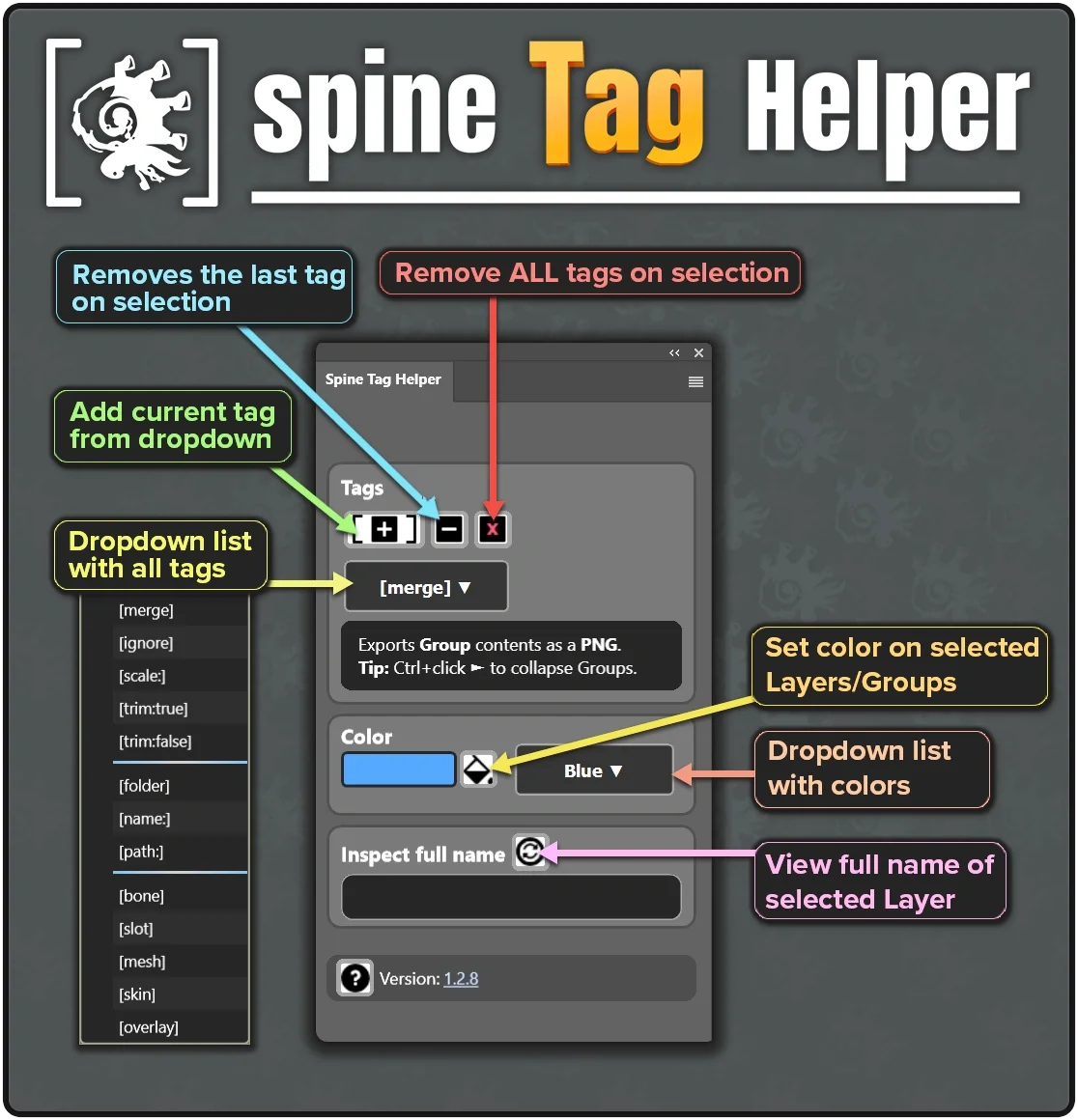
Spine Tag Helper is a Photoshop UXP plugin for tagging Layers and Groups. It's used as a companion to Esoteric Software’s free PhotoshopToSpine script, prepearing layers for export to Spine.
Easily apply Spine-compatible tags like [merge], [ignore], [scale:0.5], and more. Key features include batch tagging, illegal tag detection, full-name preview, setting of color labels, and tag descriptions with tooltips. This should speed up your workflow and keep the export process clean and organized.
Available on Gumroad and Adobe Exchange.


PHOTOSHOP TO SPINE - MODIFIED VERSION -
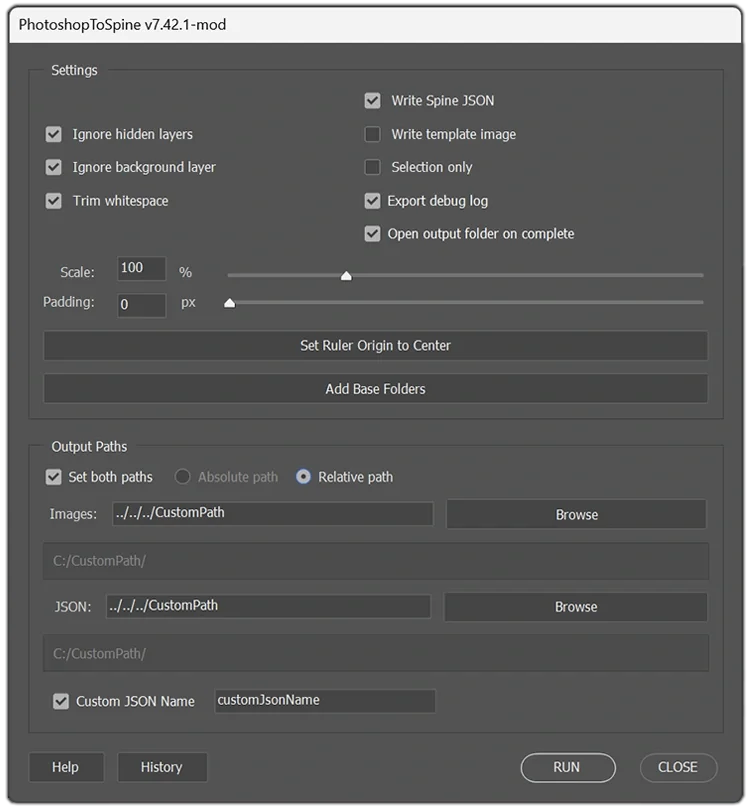
This is a preview of a customized version of the PhotoshopToSpine script, with extra functionality, adjusted for use in a production pipeline.
Key improvements
- Add Base Folders template button.
- Center Ruler Origin by clicking a button.
- Help & Tag Info updated.
- Absolute and Relative path toggle option.
- Path Browsing quick buttons to set export paths.
- Flexible Paths toggle single or both image + JSON
- Custom JSON field to set your own JSON filename.
- History Tracking button for the patch log.
- Debug logging, crash reports and hooks to support batch exporting.
- + more usability enhancements
These tweaks streamline asset management and export workflows between Photoshop and Spine, increasing efficiency and reusability throughout production.
PHOTOSHOP TO SPINE - BATCH RUNNER -
This is a JSX batch runner. It’s a companion to the PhotoshopToSpine script and can be executed if present in the same folder. It goes through all the PSD files added and exports them to predetermined relative path folders.
If a path is not set, it falls back to a default location side by side with the PSD. You can also override these paths and export the assets to a new location.
In essence, with the proper setup, it lets you re-populate the game with a bunch of assets with the press of a button and nothing breaks in Spine.
This is ideal for faster productions like game skins and makes it easier to reuse and swap assets.
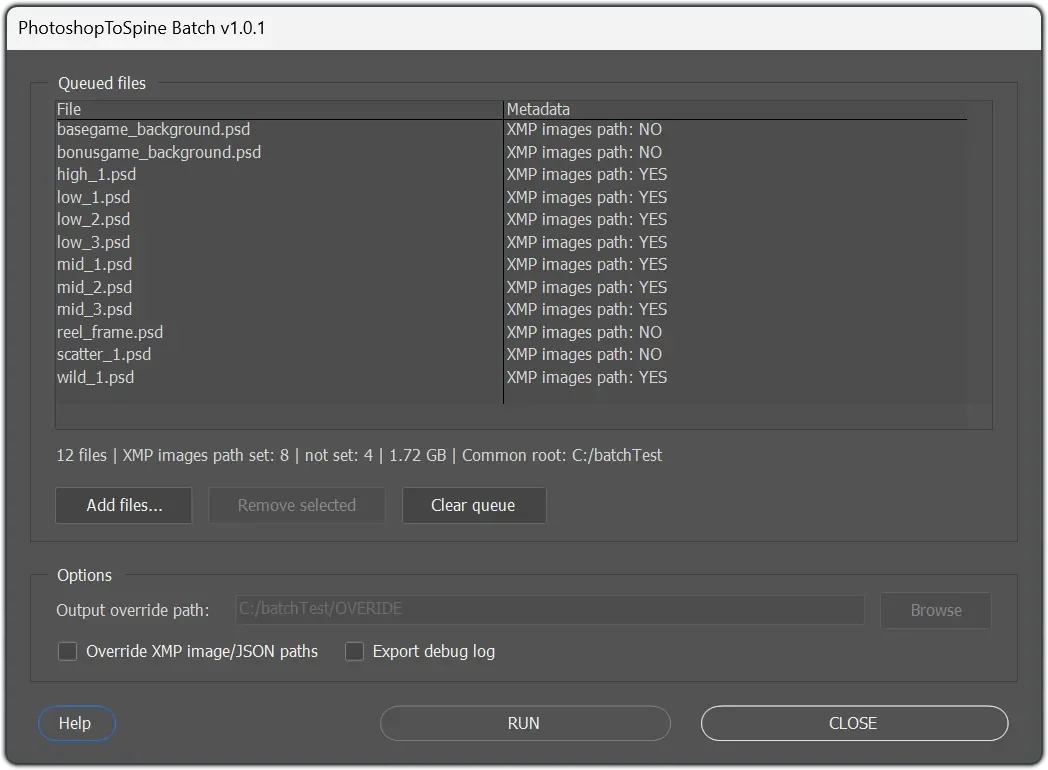
IMAGE BATCH EXPORT - SCRIPT -
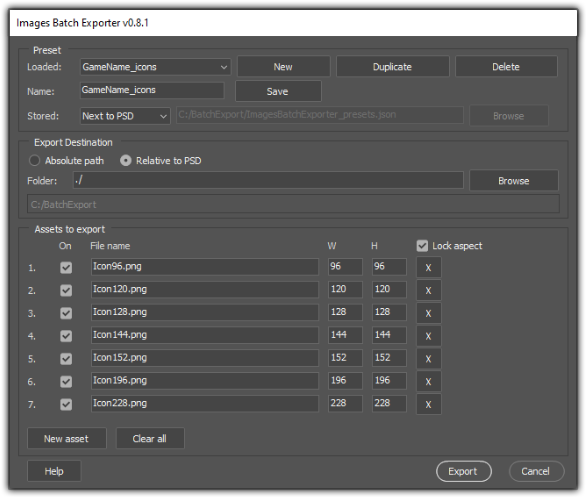
This is a Photoshop JSX batch exporter that takes the currently open PSD and exports multiple PNG file sizes in one go. It uses editable presets to define the asset list.
By default the presets are stored next to the Photoshop file in a single ImagesBatchExporter_presets.json file, but you can point it at a custom preset file if you want. Or load it from any folder. The export destinations can be absolute or relative to the PSD, with a live preview so you can see exactly where files will land.
In essence, it’s a fast “press to Export” script for repeatedly generating consistent asset variants without manual resizing, making it ideal for quick iterations, marketing banners or icon sets and rapid content updates where consistency matters. Useful for a team in production and works for both Mac and Windows.
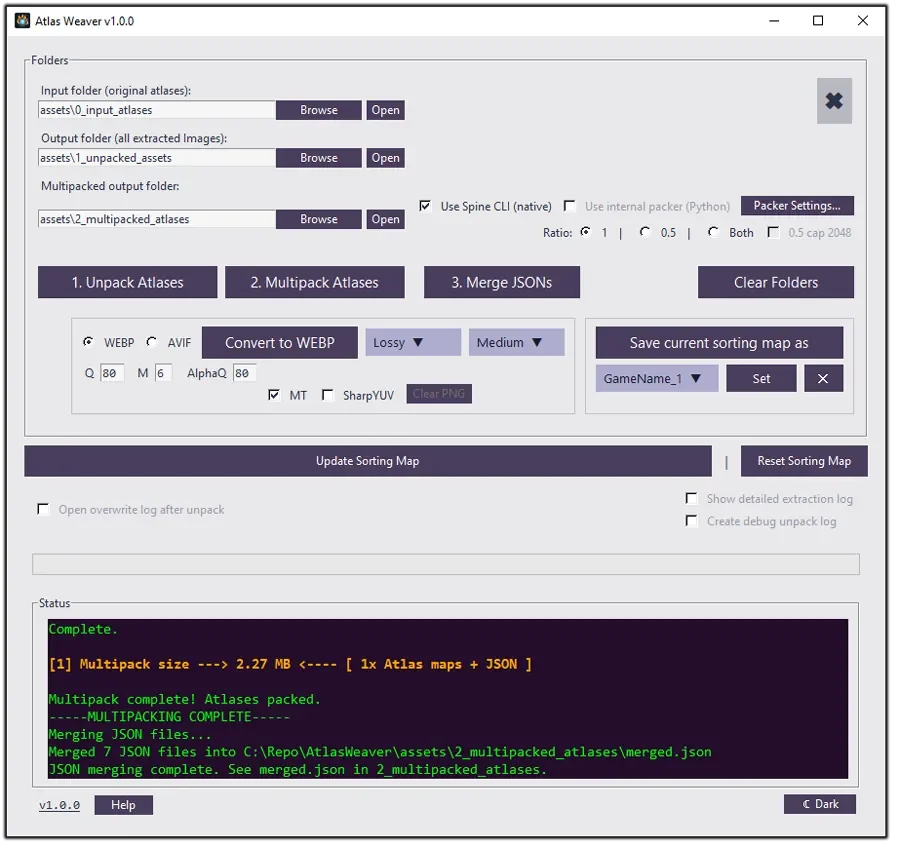
ATLAS WEAVER - PACKING -
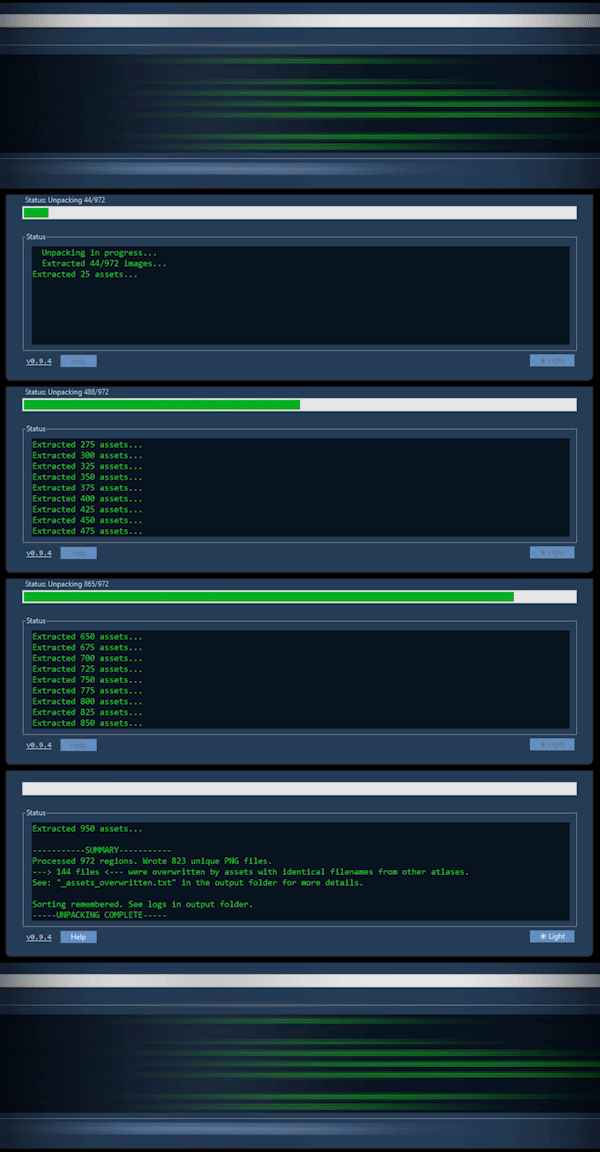
 Atlas Weaver is a small Python tool for unpacking Spine atlases and “rewinding” them back into individual assets, then repacking them into larger atlases based on your custom folder sorting.
During the unpack stage it detects and overwrites assets with the same name, so they only appear once in the final packing stage instead of being repeated across multiple atlases. The skeleton path data for these assets remains unchanged in the JSON files.
For packing it can use the Spine CLI if it’s available or fall back to an internal Python packer (slower but works without the CLI). When the multipacking is complete it can also merge the JSON files into a combined one to reduce runtime requests.
Between runs it remembers custom folder categories in a sorting map that can be exported/imported when experimenting or switching projects. It also supports workflows where assets are organized into 1 and 0.5 ratio folders, letting you multipack either set or both depending on your target (for example, mobile-friendly output). This is still a prototype and focuses on PNG atlases for quick iteration, but it also includes optional texture conversion to WEBP or AVIF after packing to reduce file sizes.
NUMBER ATLAS PACKER
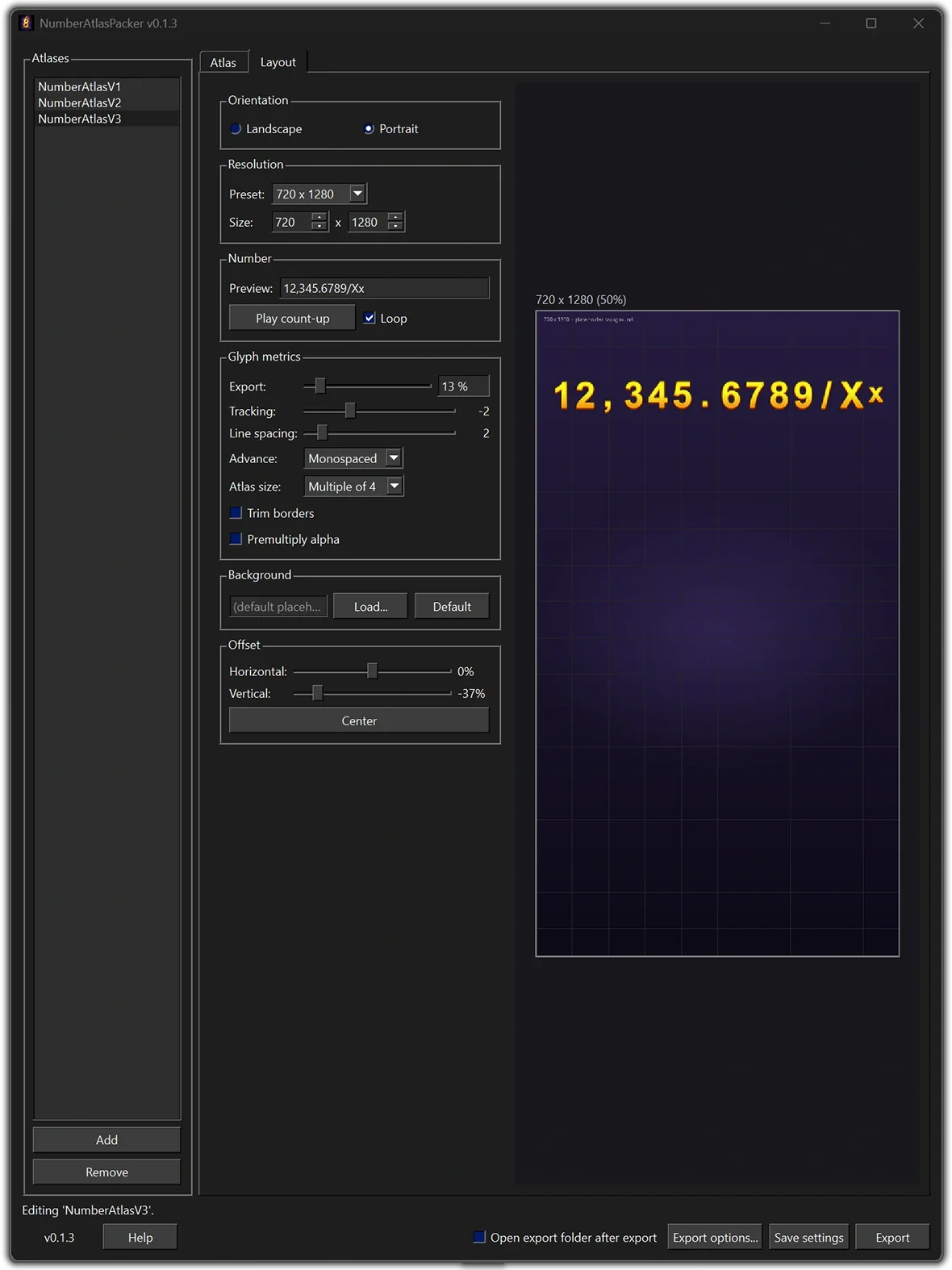
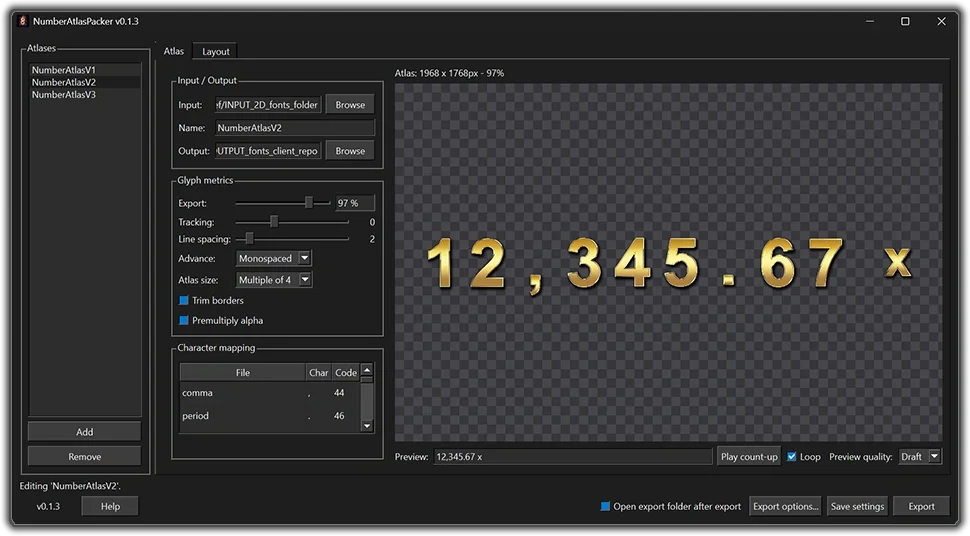
NumberAtlasPacker is a Python desktop tool for packing number and symbol image assets (digits, separators, currency, x, and so on) into a single compressed image atlas. Alongside the atlas it writes a font file so a game can look up each character: XML, JSON, or FNT (the format Godot imports).
The atlas itself is WebP (default, lossless) or PNG. You can set the compression before you export. You can set export size %, on-sheet spacing, tracking, trim, premultiply alpha, and how the atlas dimensions are rounded (multiple-of-4, power-of-two, or tight). Advance can be monospaced (no jitter while a counter ticks), tabular (fixed digits, natural separators), or proportional.
Each image is matched to a character from its filename (0.png is 0, comma is a comma, dollar is $, x_small / x_large for the two x’s, and so on). If a name doesn’t match what you want, you can change it in the mapping table. Each atlas keeps its own settings as JSON and reloads them on launch. A sidebar holds several atlases at once, one input folder and one output folder each, so you can switch between them and export one or several in a single run. There is also a CLI for headless, repeatable exports from those same settings.
The GUI has a live count-up preview so you can type a string and check spacing before you export. A Layout tab shows the number at real export size against a game resolution and background, with a temporary offset if you need to nudge it. Under the hood it’s a small desktop app. Your settings are saved next to the program, so they come back the next time you open it, whether you’re running the packaged app or from the project folder.
This is currently an experimental prototype and not publicly available.
ATLAS LENS
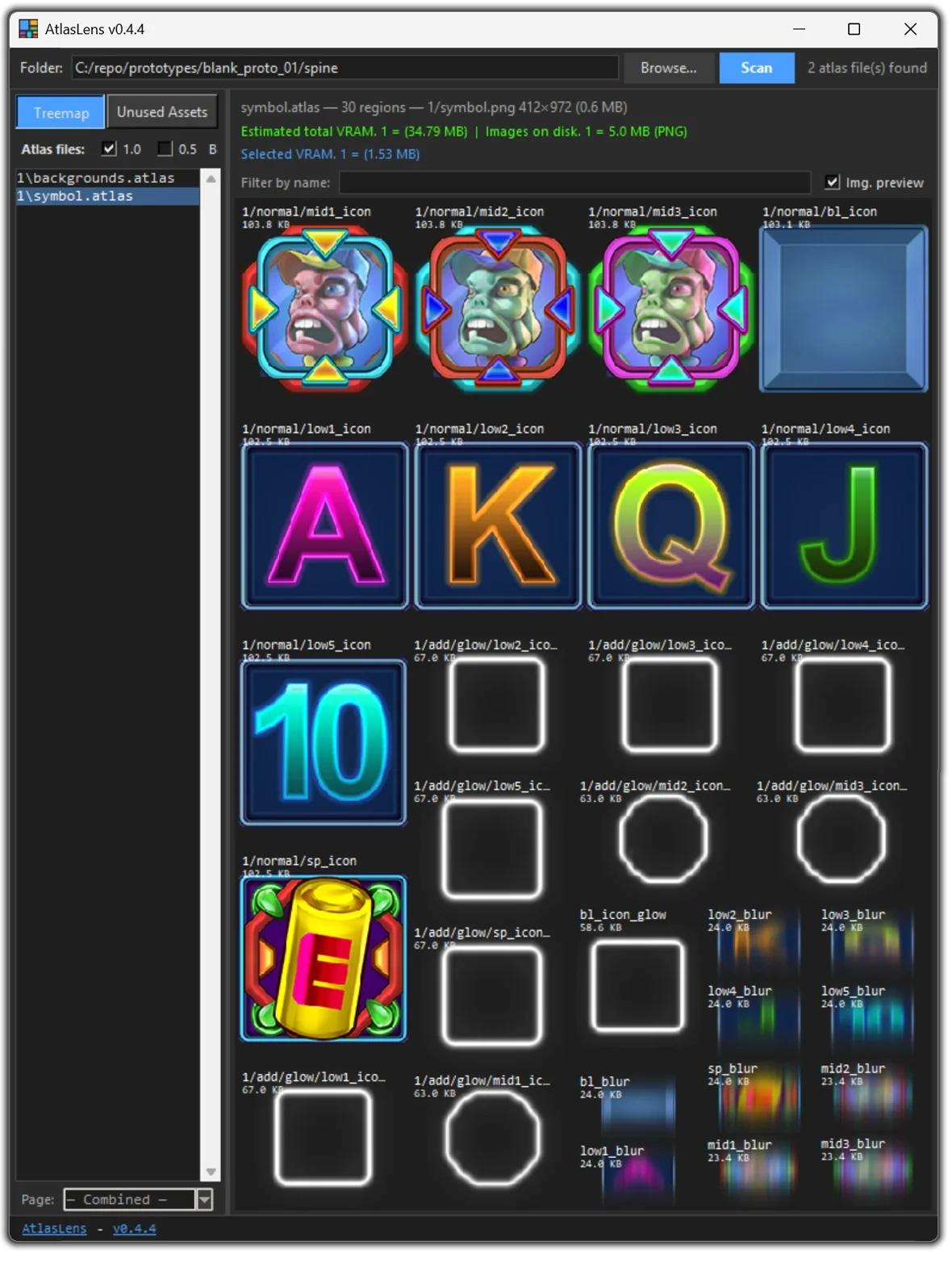
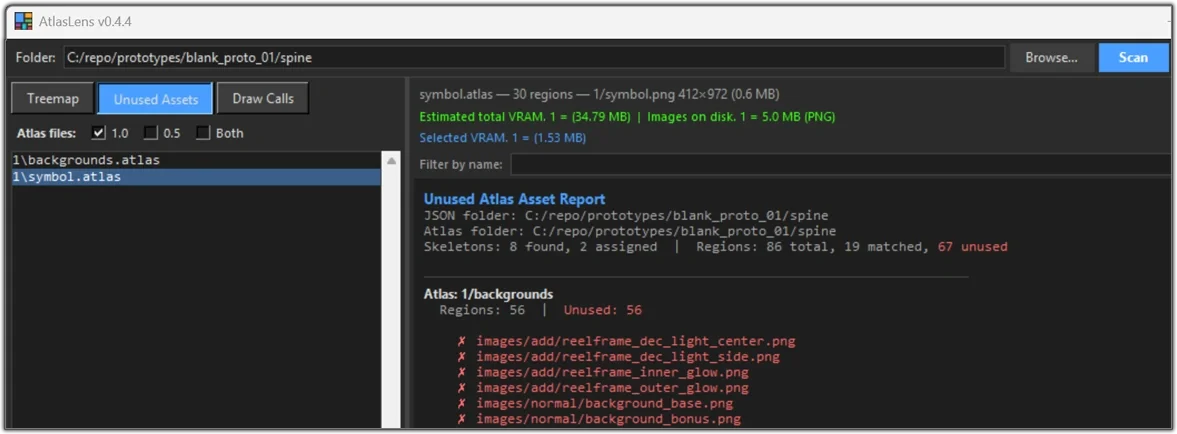
AtlasLens is a tool for inspecting Spine atlas files. Open a project folder and you get a squarified treemap of every region: largest top-left, colour-grouped by folder prefix, so you can see all assets relative sizes, and what’s eating space, without manually checking the assets. You can toggle the treemap between coloured boxes and image previews, so each cell is either a solid block or a crop from the page texture.
Hover a cell for name, packed size, original size, and estimated KB; click to copy the region name. You can filter by name, pick individual pages or combine them, and multi-select atlases into one view. The status bar shows estimated VRAM per folder (1/, 0.5/ or custom) plus image size on disk, with a separate line for the current selection.
Unused Assets compares atlas regions against the skeleton JSON and lists what nothing references. It skips folders like backup and ref, and it scans 1/, 0.5/, or the project root on purpose rather than guessing across folders.
There is an experimental drawcall feature that estimates spine-webgl cost per skeleton by counting batch breaks from atlas page or blend changes, using the worst skin, and names the slot pairs that break a batch so you can regroup them in Spine. Reports can be saved as .txt.
This is currently an experimental prototype and not publicly available.
COMPRESSION TOOLKIT
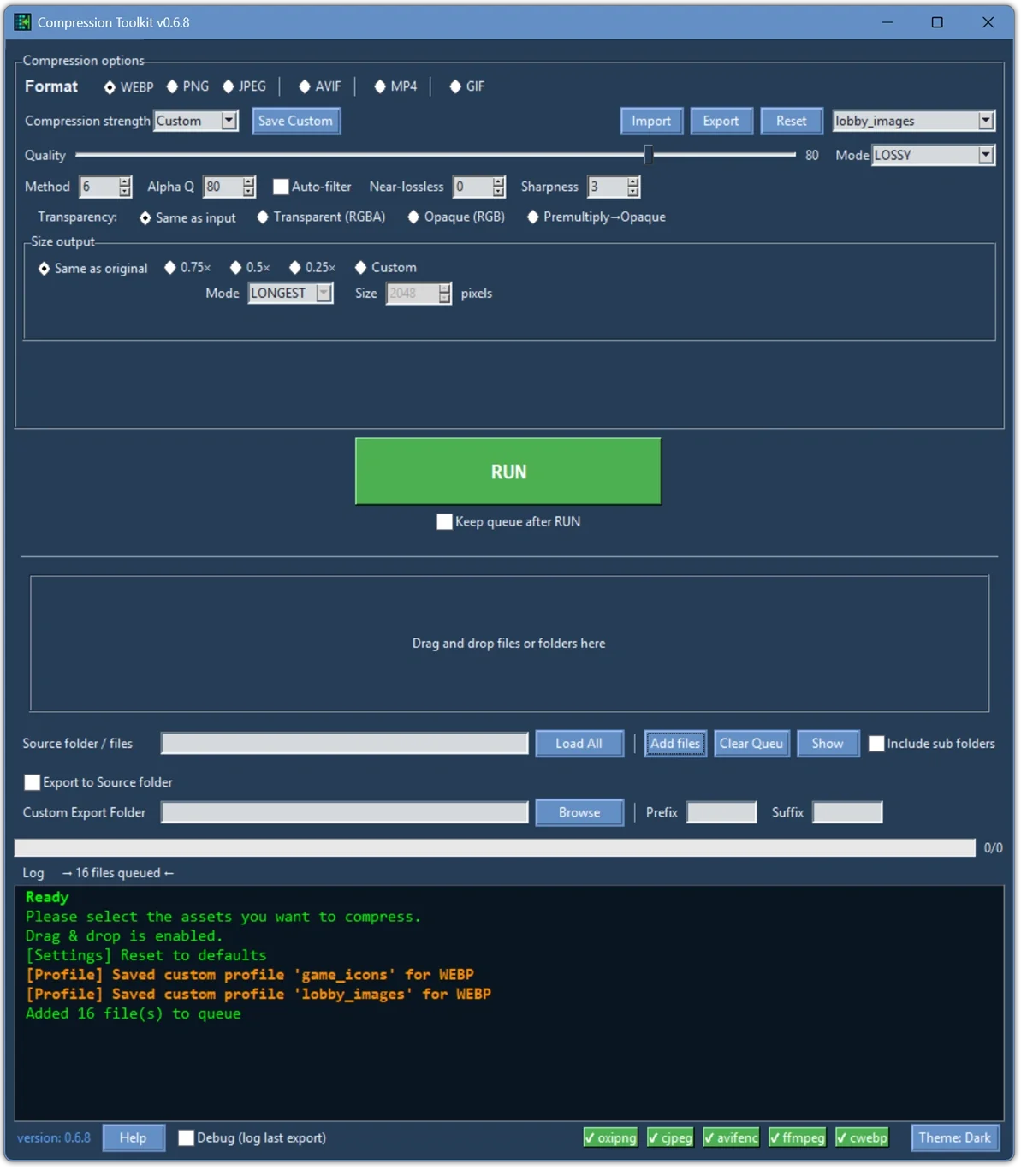
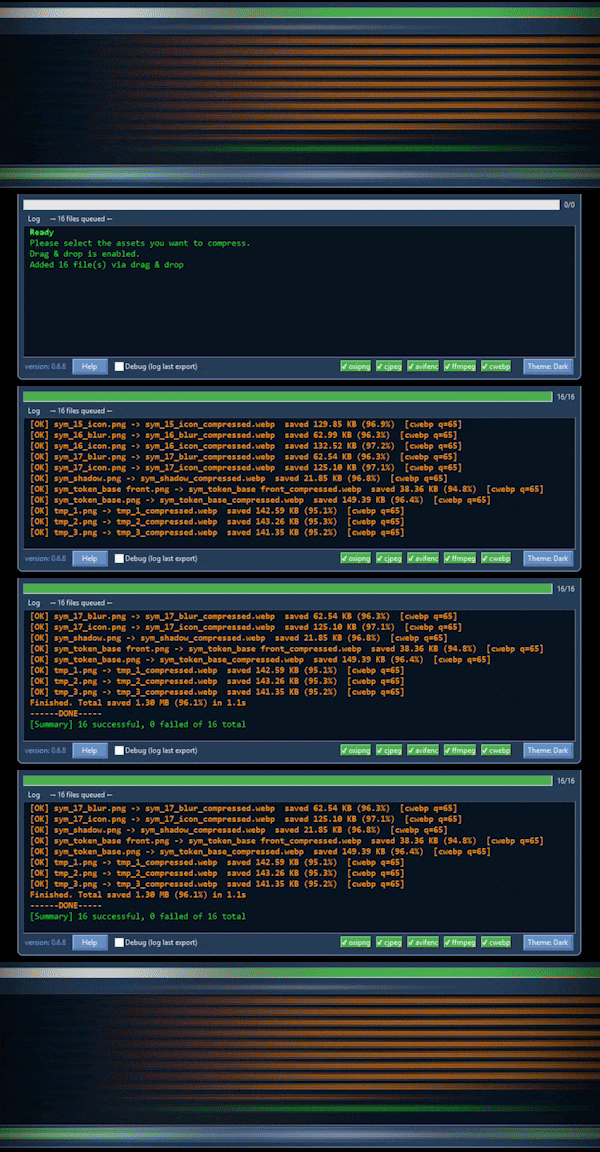
 Compression Toolkit is a Python-based multitool for compressing image and video assets. It supports output for: WebP, PNG, JPG, AVIF, MP4 and GIF. You can set compression level, alpha Q, transparency, lossy or lossless and output size.
There are some default presets for different quality levels. You can also create your own settings and store these by exporting and later importing. This is useful for project-specific compression settings.
It supports custom output organization. Default output is set to "same as original", but with an override option for custom paths. Adding prefix or suffix to exported filenames is also possible.
The tool supports batch compression of multiple assets via dragging and dropping or loading of folder contents (with optional subfolders). You can also manually add the specific assets you want to compress to a queue. When a run completes, the terminal reports how much space was saved.
For the compression technology itself, it uses FFmpeg, OxiPNG, libavif (avifenc), libwebp (cwebp) and Independent JPEG Group tools (cjpeg). These can be located standalone in a relative /tools path if not added to your system PATH. Both methods will work.
This is currently an experimental prototype and not publicly available.